Recent Questions Tutorial Javascript Tree
Q: I purchased your product yesterday and was quite impressed, but I am having a bit of a problem with my submenuitems.
In the general menu properties there is a "Global" var titemHeight = 22;
My problem is that I would like my upper level of my drop down menu to have one itemheight and my submenuitems to have a smaller height. Is this possible?
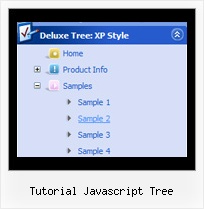
A: In the XP Style
var tXPStyle=1;
the item's height for the top items and submenus will be different.
If you want to use
var tXPStyle=0;
you can set ite's height for the submenus:
var titemHeight=16;
And for other items use the blank icon with the height you want to have for the upper level of your menu items.
Q: I am using the tree menu script in a frameset, and I would like for the selected menu branch to stay highlighted after the user moves the mouse to another window(where the menu brings up a new page),just so the user knows where he/she is.
Is that possible?
A: But if you open links in the another frame (window) the initial frame with your menu isnot reloaded, so the clicked item will be highlighted.
You should set the following parameters:
var ttoggleMode=1;
var tpressedFontColor="#AAAAAA";
You can also set the following parameter to save menu state:
var tsaveState=1;
var tsavePrefix="menu1";
If you install the menu without frames. On your pages you should call the following function/functions to expand/highlight items, for example:
<script>
dtreet_ext_expandItem (dtreet_ext_getItemIDByIndex (0, 0), 1);
dtreet_ext_setPressedItem (0, dtreet_ext_getItemIDByIndex (0, 1));
</script>
See more info about API functions here:
http://www.deluxe-tree.com/functions-info.html
Example:
http://deluxe-tree.com/highlight-selected-menu-item-sample.htmlQ: Is there a problem with your menu software and IE 7?
My menu was working fine, now that I upgraded the browser to IE 7, the menu doesnot show any more.
A: Try to set exact value for menu width.
For example:
var menuWidth="800px";
Your menu should work fine.
Q: Shouldn’t the dhtml expand menu know what page you are on and expand accordingly?
Or would you need to ‘hard code’ each page to be expanded basedon that page?
A: You should set the following parameter
var ttoggleMode=1;
Javascript/DHTML Tree doesn't save a presseditem as it saves a tree state. It works within 1 page only and if youreload the page you should set a pressed item using Javascript API:
function dtreet_ext_setPressedItem (menuInd, itemID)
Please, see here:
http://deluxe-tree.com/functions-info.html
You can also set
var tsaveState = 1;
More info you can find
http://deluxe-tree.com/data-samples/tree-menuxp-save-state.htm
To expand specific items you should use API function
function dtreet_ext_expandItem (itemID, expand)
Try that.